
Small Business Reputation Management: Your Guide to Growth
A small business owner checks Google between jobs, tables, or appointments and finds a new one-star review posted overnight. No warning. No context. No chance to fix the issue before it went public. By lunch, that review is already shaping how strangers judge the business.
That's why small business reputation management can't sit in the “marketing later” pile. It affects trust before a customer calls, books, orders, or walks through the door. It also affects how a team handles complaints, how managers spot service problems, and how hard every future sale becomes.
The businesses that win online rarely do one thing well. They build a closed-loop system. They monitor every review source, ask for feedback consistently, route unhappy customers into private conversations, respond fast, and turn strong reviews into visible proof across their own marketing assets.
Table of Contents
Why Your Online Reputation Is Your Most Valuable Asset - Reputation is a revenue function - Passive reputation always loses - What this looks like in practice
Build Your Reputation Command Center - One dashboard beats ten logins - What to connect first - The weekly operating rhythm - What doesn't work
Put Your Review Generation on Autopilot - Why automation matters - The trigger points that work - Keep the ask frictionless - What to avoid
The Art of the Review Response - The wrong response and the better one - Private routing changes the game - A practical response playbook - Templates help, but robotic responses hurt
Turn Great Reviews into Powerful Social Proof - Put reviews where buying decisions happen - Curate, don't dump - Widgets make this practical for small teams - What weakens social proof
Track, Improve, and Onboard Your Team - Attribution fixes guesswork - The small set of KPIs that matter - A clean onboarding checklist
Why Your Online Reputation Is Your Most Valuable Asset
A surprise negative review feels personal, but the actual damage is commercial. A potential customer doesn't know the backstory. They only see the star rating, the latest comments, and whether the business looks active or neglected.
The risk is immediate. 94% of consumers actively avoid a business after reading a negative review, while just five recent reviews can increase purchase likelihood by more than 250%, according to ReviewTrackers' small business reputation findings. That changes the conversation from “reviews matter” to “reviews directly affect whether people buy at all.”
Reputation is a revenue function
Small business owners often treat reviews as a customer service chore. That's too narrow. Reviews influence lead quality, close rates, and how much trust the business has to build from scratch on every inquiry.
A weak review profile creates friction at the worst point in the funnel. Prospects hesitate. They compare harder. They ask more skeptical questions. Staff spend time overcoming doubt that shouldn't exist in the first place.
Practical rule: A business doesn't need a perfect record. It needs a review profile that shows consistent service, recent activity, and visible follow-through.
Passive reputation always loses
Ignoring reviews doesn't keep things neutral. It hands control to the loudest unhappy customer and leaves satisfied customers silent. That's the core mistake in small business reputation management. Owners wait for reviews to happen, then scramble when the visible ones skew negative.
The better approach is operational, not emotional. Ask consistently. Monitor everything. Respond with discipline. Use feedback to improve service. If a business depends on local trust, Google reviews for local businesses aren't a side channel. They're part of the storefront.
What this looks like in practice
A home service company with strong field work but inconsistent follow-up often has the same online pattern. A few glowing reviews, long gaps with no new feedback, then a harsh complaint posted when someone feels ignored. A dental office may deliver excellent care but still lose booked patients if old reviews dominate the profile. A restaurant can have packed weekends and a weak weekday reputation if nobody captures positive guest feedback in real time.
That's why reputation has to be managed like a system.
Recent reviews create trust: Fresh activity shows the business is active and accountable.
Visible responses reduce uncertainty: Prospects read how the business handles pressure, not just praise.
Review volume stabilizes perception: More legitimate feedback makes one bad review less defining.
The businesses that get this right stop treating reputation like cleanup work. They treat it as an asset that compounds.
Build Your Reputation Command Center
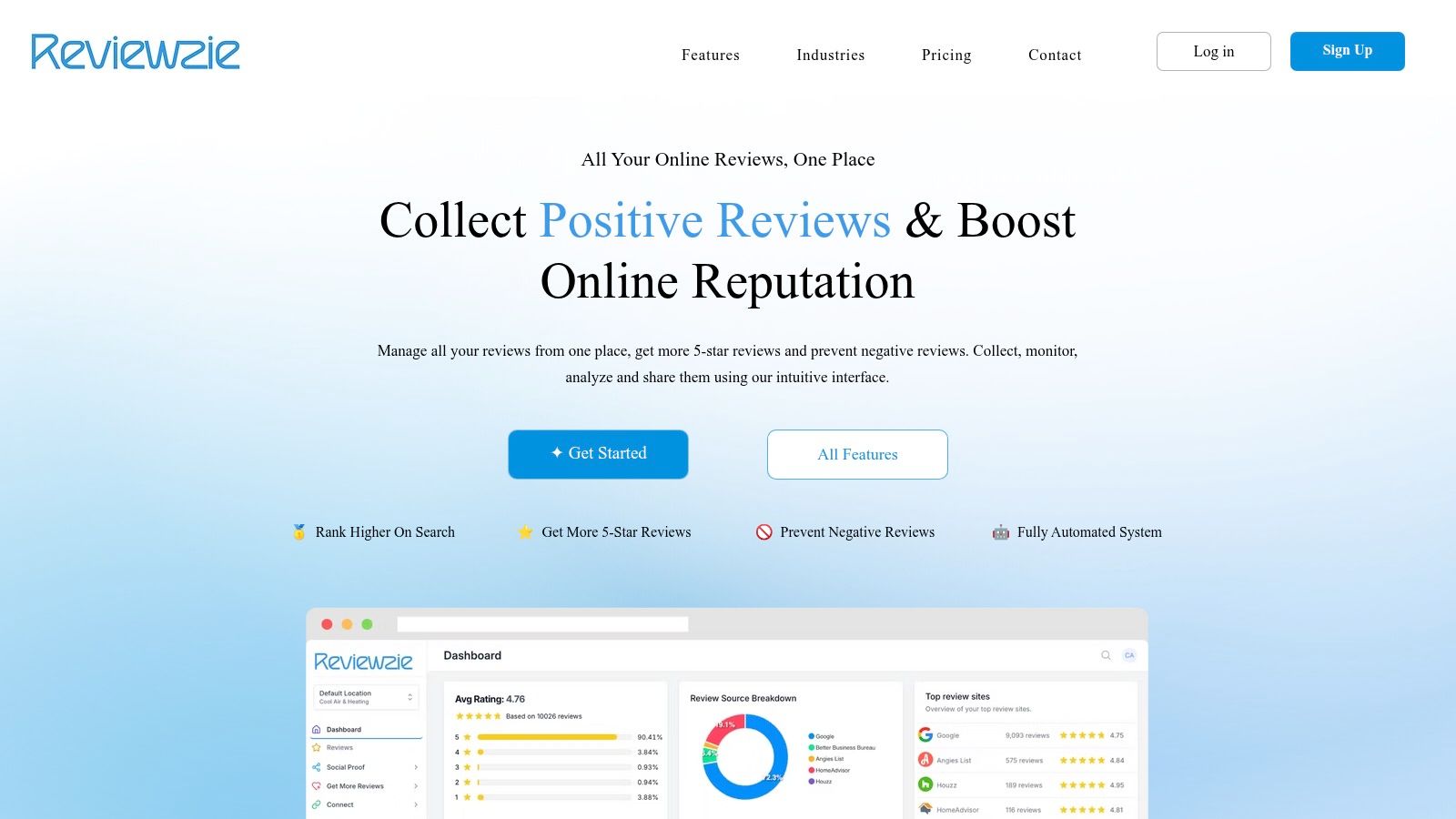
Most small businesses don't have a reputation problem first. They have a visibility problem. Reviews are scattered across Google, Yelp, Facebook, and industry sites. Nobody sees the full picture until something bad has already been public for days.
That's why the first move is building a command center. One place to monitor incoming reviews, spot patterns, and assign action fast.
One dashboard beats ten logins
A business that toggles between review sites always responds slower and learns less. Team members miss comments. Managers duplicate work. Nobody can tell whether service is improving or slipping.
That's a direct business issue because online reputation management explains 35% of the variance in small business performance, and owners who prioritize soliciting and engaging with online feedback improve their market position, according to the Journal of Small Business Management study on ORM and performance.
A command center should pull reviews from the platforms that matter to the business and centralize:
New review alerts: So the team can respond while the issue is still current
Star trends over time: So managers can tell whether process changes are working
Sentiment signals: So recurring complaints become operational fixes, not recurring surprises
Response workflows: So nobody wonders who owns what
What to connect first
A practical setup starts with the sites customers already use. For most local businesses, that means Google first, then Yelp, Facebook, and any category-specific platform tied to the industry. Restaurants, healthcare practices, legal firms, and home service companies often have one or two niche review sources that matter as much as the major networks.
A simple rule helps here. If prospects mention a platform on calls, if staff see it in search results, or if competitors have active profiles there, it belongs in the command center.
For discovery, it also helps to audit a free business directory list for local visibility and make sure profiles are claimed and consistent before review collection accelerates.
The weekly operating rhythm
The command center only works if someone uses it. Small teams don't need a complicated meeting cadence. They need a short routine.
Task | Owner | Purpose |
|---|---|---|
Check new reviews daily | Front desk, office manager, or marketer | Catch issues early |
Escalate complaints | Manager or owner | Resolve service failures quickly |
Review sentiment patterns weekly | Team lead | Identify recurring friction |
Confirm requests are sending | Admin or marketer | Keep review flow active |
The fastest way to lose control is to make reputation “everyone's job” without making it someone's responsibility.
A platform such as Reviewzie fits this model because it aggregates reviews from major sites, sends real-time notifications, tracks sentiment, and gives a small team one interface for monitoring and response. That matters less because it's software and more because small business reputation management breaks down when staff have to chase data across tabs.
What doesn't work
Several habits create the illusion of control without real control:
Checking only Google: Useful, but incomplete if customers also review on Yelp, Facebook, or niche sites.
Relying on email notifications from each platform: Messages get buried, and no one sees the whole trend.
Responding without categorizing issues: If every complaint is handled one by one, the business never fixes the root cause.
Leaving profile ownership unclear: Former staff, agencies, or franchise operators often still control logins.
The command center isn't glamorous. It's operational discipline. But without it, every other part of the playbook runs blind.
Put Your Review Generation on Autopilot
Monitoring protects the brand. Review generation grows it.
Too many small businesses wait for happy customers to leave reviews on their own. Some will. Most won't. The result is a review profile that overrepresents people who were disappointed enough to post without being asked.
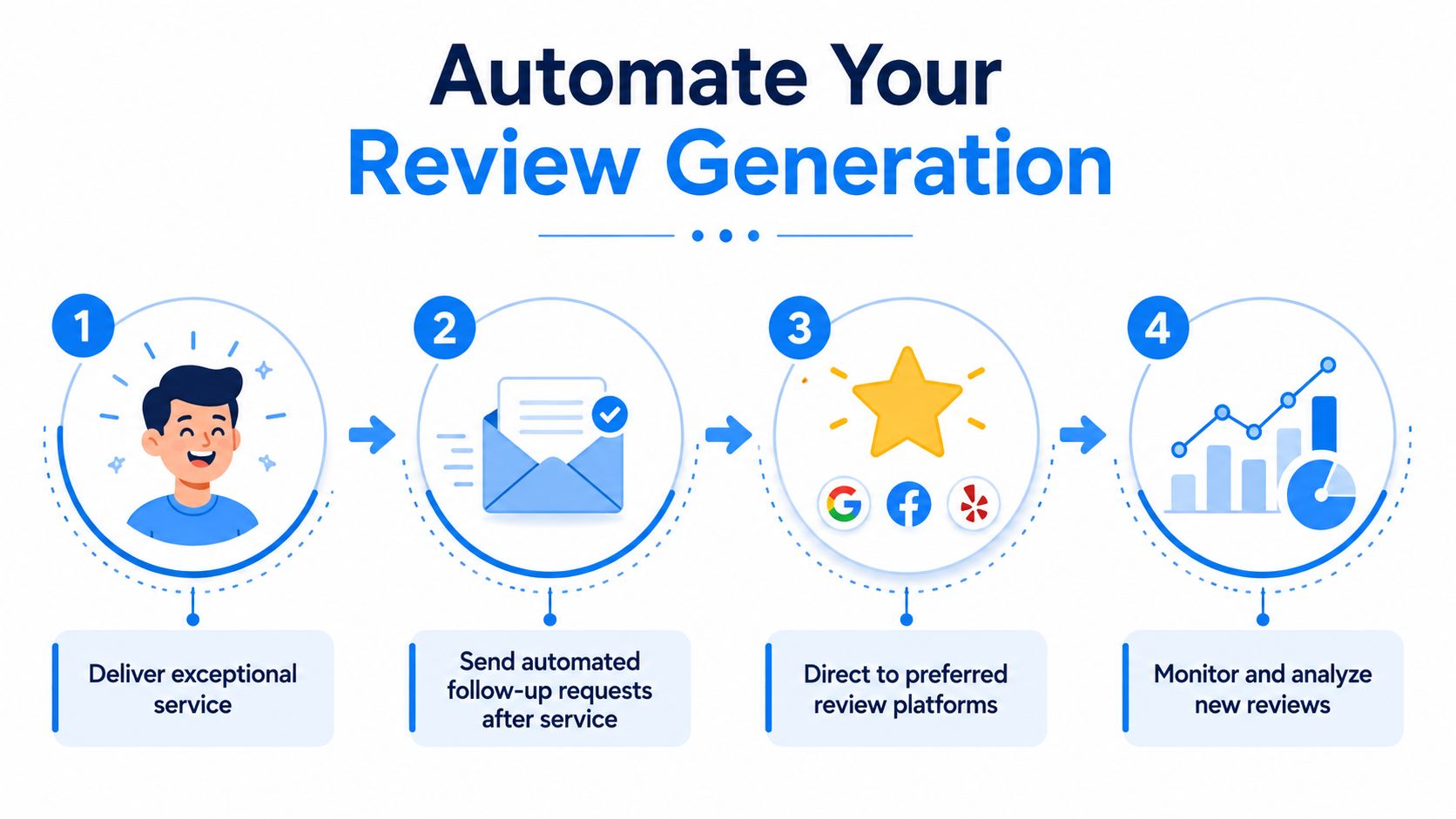
The fix is simple. Ask every satisfied customer, consistently, through automated follow-up tied to real customer moments.
Why automation matters
Manual review requests fail for predictable reasons. Staff forget. Timing slips. One employee asks well, another never asks. A busy week kills consistency. Then ownership concludes that “customers don't leave reviews,” when the issue is that the process depends on memory.
That costs money. For each additional star in a rating, a brand experiences a 5 to 9% revenue increase, and automated SMS or email triggers can boost average ratings by 0.5 to 1.0 stars within 3 months, according to Wharton Online's reputation management guidance.
The trigger points that work
A workable setup includes a few trigger types:
Completion trigger Send a request after a service is marked finished in the CRM or booking tool.
Invoice or payment trigger Useful when payment confirms the customer reached the end of the buying process.
Follow-up sequence If the first message gets ignored, a polite reminder can capture more legitimate feedback without depending on staff memory.
A good review request feels like part of customer care, not a favor the business is begging for.
Keep the ask frictionless
High-performing requests are short and easy to act on. They don't bury the link. They don't sound scripted. They don't ask for a paragraph. They ask for one simple next step.
A local contractor might text after a completed job with a direct review link. A med spa might email after the visit and include a mobile-friendly button. A restaurant with heavy foot traffic may use NFC review cards for in-person follow-up so guests can tap and post while the experience is still fresh.
The business should also match channel to customer behavior:
SMS fits speed: Better for appointment-based and field-service businesses
Email fits detail: Better when customers are used to post-service follow-up
Printed QR codes fit physical locations: Useful at checkout counters, reception desks, and multi-location retail
What to avoid
There are a few common mistakes that weaken review generation fast:
Asking everyone the same way: A front-desk interaction and a completed roofing project aren't the same customer moment.
Sending too early: If the customer hasn't experienced the result yet, the ask feels premature.
Making staff copy and paste links manually: This almost always breaks consistency.
Chasing only a burst campaign: Reputation improves when requests run continuously, not just during one push.
Review generation should operate quietly in the background. When the workflow is set up correctly, new reviews arrive as part of normal operations instead of depending on owner energy.
The Art of the Review Response
Most businesses understand that they should respond to reviews. Fewer know how to do it in a way that protects trust, resolves tension, and gives unhappy customers a better path than public escalation.
A weak response strategy usually looks like one of two extremes. Silence, which signals indifference. Or defensive replies, which turn a bad review into a public argument.
The wrong response and the better one
A poor public reply sounds like this: “That's not what happened. You never contacted us. We do our best for every customer.”
That answer may feel satisfying internally, but it performs badly in public. Future customers read it as blame shifting. They don't know who's right. They just see tension.
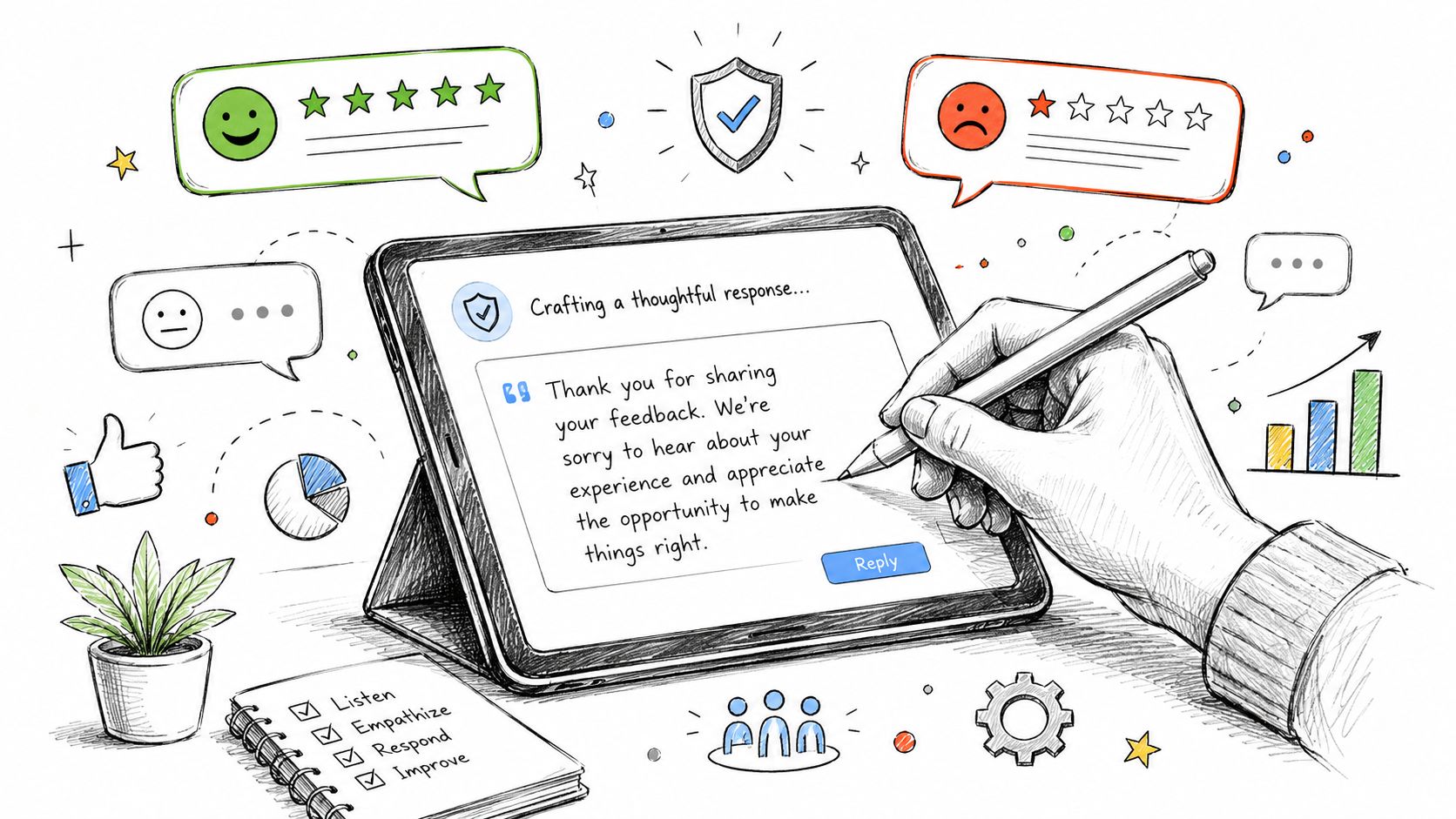
A stronger response does three things. It acknowledges the experience, invites a direct resolution path, and stays professional. For example:
“Thanks for sharing this feedback. This isn't the experience the team aims to provide. The business would like to look into what happened and make it right. Please contact the office directly so the manager can review the details and help resolve it.”
That response isn't dramatic, but it works. It shows accountability without arguing facts in public.
Private routing changes the game
The bigger opportunity starts before the review is posted. At this stage, most generic reputation advice falls short.
68% of unhappy customers would leave a negative review if they had no private channel. Businesses using private feedback diversion reduce public negative reviews by 41% and increase resolution rates by 55%, according to Pulsem's review routing analysis.
That's why a closed-loop system should separate two customer paths:
Customer state | Best next step | Goal |
|---|---|---|
Satisfied | Send to public review platform | Build visible social proof |
Frustrated | Route to private feedback form | Resolve before public fallout |
This isn't about hiding criticism. It's about giving dissatisfied customers a direct, respectful way to be heard before they broadcast the problem.
A practical response playbook
For small business reputation management, the response process should be simple enough for staff to follow but structured enough to protect the brand.
Positive reviews need specificity: Thank the customer and mention the service, product, or staff interaction they praised.
Negative reviews need calm language: Acknowledge, avoid blame, and move the discussion offline.
Ambiguous reviews need verification: If details are unclear, respond politely and invite contact rather than guessing.
Fake or mistaken reviews need process: Flag through the platform and document the issue internally before posting a reply.
Public replies are written for two audiences. The reviewer, and every future customer reading the exchange.
Templates help, but robotic responses hurt
Teams should use templates as guardrails, not scripts. A good template preserves tone and legal safety while allowing enough room to reference what happened. If every response starts sounding identical, customers notice.
That's where AI-assisted response drafting can help a small team move faster, especially when review volume rises. The key is editing for context before posting. Speed matters, but relevance matters more.
A practical routing workflow looks like this:
New review arrives.
Team tags it as positive, neutral, or negative.
Positive feedback gets a personalized thank-you.
Negative feedback gets a calm public acknowledgment and an internal follow-up task.
Feedback forms and request campaigns are adjusted if the same complaint appears repeatedly.
What doesn't work is trying to “win” the review thread. The goal isn't to prove the customer wrong. The goal is to show prospective buyers that the business is responsive, organized, and reasonable under pressure.
Turn Great Reviews into Powerful Social Proof
A strong review profile shouldn't live only on third-party platforms. If a business works hard to collect positive feedback, that trust asset should also support conversions on its own website.
Most small businesses miss this. They ask for reviews, maybe respond to them, then leave the best proof buried inside Google or Facebook. That wastes one of the few marketing assets customers already trust.
Put reviews where buying decisions happen
A prospect on a service page is close to action. A prospect on a contact page is evaluating risk. A prospect on a booking page is looking for a reason not to back out. Those are the moments where visible customer proof does the most work.
That means reviews belong in places such as:
Homepage trust sections: To establish credibility fast
Service pages: To support specific offers with relevant customer language
Location pages: To reassure visitors choosing a branch or office
Checkout or booking flows: To reduce hesitation at the point of commitment
Curate, don't dump
Not every review needs to appear everywhere. The point isn't volume alone. The point is relevance.
A roofing company should feature reviews that mention punctuality, cleanup, and communication. A dental practice should highlight comments about staff warmth, scheduling, and comfort. A restaurant should surface remarks about consistency, service, and atmosphere.
A simple curation approach works best:
Match review themes to page intent
Keep display design clean and readable
Update the feed so content doesn't go stale
Use verified reviews, not edited testimonials that feel manufactured
Social proof works best when it answers the doubt a buyer already has.
Widgets make this practical for small teams
Most owners won't manually copy fresh reviews into the website every week, and they shouldn't have to. Embeddable widgets and badges solve that operational problem. They let the business display selected reviews without adding developer work each time new feedback arrives.
Code-free display tools are especially useful for agencies, franchises, and businesses with lean marketing teams because they can control layout, choose which reviews appear, and keep the content aligned with the brand.
This part of small business reputation management matters because trust shouldn't disappear once a customer leaves Google and lands on the business website. The site should reinforce the same story the review platforms already tell.
What weakens social proof
Three mistakes come up often:
Mistake | Why it fails |
|---|---|
Posting only generic testimonials | They feel less credible than platform-synced reviews |
Hiding reviews on a single page | Prospects may never see them at decision points |
Showing outdated praise | Old feedback suggests the business isn't actively earning trust now |
The strongest reputation strategy treats reviews as both evidence and content. They reduce buyer anxiety, support claims the business makes about service, and give the website a voice customers recognize as authentic.
Track, Improve, and Onboard Your Team
A reputation system only lasts if it's measurable and transferable. Otherwise it depends on the owner watching every alert, sending every request, and fixing every complaint personally. That works for a week. It doesn't scale.
The final layer in small business reputation management is attribution. The business needs to know which location, employee, or campaign generated the review and which operational issue triggered the complaint.
Attribution fixes guesswork
This matters even more in multi-location or team-based businesses. 73% of franchise owners can't tie review sentiment to specific staff members or locations, while businesses with granular tracking by location and staff saw a 29% higher star-average increase than those using consolidated dashboards without attribution, according to The Web Guys' analysis of reputation management gaps.
Without attribution, leaders can see the average but not the cause. One location may be thriving while another drags the brand down. One staff member may consistently create positive feedback while another creates recurring complaints no dashboard average will explain.
The small set of KPIs that matter
A useful scorecard doesn't need to be complicated. It should tell the team whether reputation is improving and where to act next.
Review volume by location or team member: Shows whether requests are being sent consistently
Average rating trend: Shows whether service changes are improving customer perception
Theme or sentiment patterns: Shows what customers praise and where friction repeats
Response completion: Confirms that incoming feedback is being handled, not ignored
A trackable link or QR code tied to a staff member, location, or campaign makes this visible. That turns reviews from vague brand chatter into operational feedback.
A clean onboarding checklist
New staff don't need a lecture on online branding. They need a clear process.
Know when to ask Tie the request to a real service milestone.
Know where to send unhappy customers Use a private feedback path instead of pushing every customer straight to a public site.
Know who responds Assign review ownership by role, not by assumption.
Know what gets escalated Billing disputes, service failures, and sensitive complaints should move to management immediately.
Know how success is measured If the team sees review volume and sentiment by location or employee, accountability becomes concrete.
A reputation playbook works when it becomes part of daily operations. Monitoring catches issues. Automated requests build volume. private routing protects the public profile. Responses maintain trust. Website proof helps convert demand. Tracking shows which parts of the business are earning praise and which parts need fixing.
A tool such as Reviewzie can support that closed-loop workflow by centralizing reviews, automating SMS, email, and WhatsApp requests, routing unhappy customers into private feedback forms, generating response drafts, and displaying reviews on-site through widgets and badges. For small teams, that reduces manual work and makes the whole system easier to run consistently. Start with a free trial and test the full loop with one location, one service line, or one campaign before rolling it out across the business.
Produced via the Outrank app
Comments